|
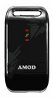
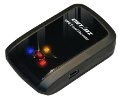
AMOD AGL3080
|
- Driverless — acts as a USB drive, works on Windows, Mac and Linux
- 3×AAA batteries, >12 hrs with rechargeables
- 128mb memory, approx 70 hrs at full log detail, every 1 second
- Logs position, altitude, speed and heading
- Log format: NMEA 0183 sentences
- amod.com.tw
|
- Setup device with factory defaults
- Plug logger into USB port
- Copy .log files from /gpsfiles/ folder (one log is created each time the 3080 is switched on)
- Upload to GPSLog Labs.
- Delete older .log files off the 3080
|
|
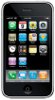
Apple iPhone
|
- Wahoo Fitness app
- Log format: Garmin Training Center XML (TCX) or GPX XML
- Supports ANT+ Heart rate sensors (via Bluetooth or with the Wahoo dongle)
|
- First create a device in GPSLog Labs for your iPhone
- Go to GPSLog Labs mobile version using Safari on your iPhone
- Select your device and copy the upload email address to a Contact by holding your finger on the link until the Create New Contact menu option appears
- After recording a workout in the Wahoo Fitness app, go to the Workout Details
- Tap the "share" icon and Email Workout Data Files
- Choose "Garmin (TCX)" or "GPS eXchange (GPX)" in the File Export Types and tap Next
- Send the GPSLog Labs upload email in the Contact created in step 3.
- You will receive an email containing links to the activity in GPSLog Labs once it's processed
|
|
|
- First create a device in GPSLog Labs for your iPhone
- Go to GPSLog Labs mobile version using Safari on your iPhone
- Select your device and copy the upload email address to a Contact by holding your finger on the link until the Create New Contact menu option appears
- Open the Gaia GPS app and go to the Gaia GPS Saved Tracks page and select the saved track
- Tap the "Export" icon and choose Export Track
- Tap "Email GPX", then "Choose From Contacts" and select the GPSLog Labs upload email saved in step 2. This will email the selected track to GPSLog Labs
- You will receive an email containing links to the activity in GPSLog Labs
|
|
|
- First create a device in GPSLog Labs for your iPhone
- Go to GPSLog Labs mobile version using Safari on your iPhone
- Select your device and copy the upload email address
- Open the MotionX-GPS app and go to the MotionX-Logbook and select the saved track
- Tap "Share Track Now"
- Select "Email Sharing" and paste in the upload email address
- Tap "Share". This will email the selected track to GPSLog Labs
- You will receive an email containing links to the activity in GPSLog Labs
Note: You will have to ignore or delete the extra doc.kml and raw.xml files which are attached to the email but not are usable by GPSLog Labs.
|
- For other GPS logging apps
|
- First create a device in GPSLog Labs for your iPhone
- Select your new device and copy the upload email address into your email address book
- From the app, export or share the track to the upload email address (usually in GPX format)
- You will receive an email containing links to the activity in GPSLog Labs
|
|
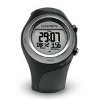
Garmin Forerunner 405
|
- Built-in rechargeable Li-ion battery
- Log format: Garmin Training Center XML (TCX)
- garmin.com
|
- Synchronise with Garmin Connect
- Export .TCX file from Garmin Connect
- Upload .TCX file to GPSLog Labs
|
|
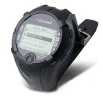
GlobalSat GH-615M
|
- Heart rate monitor and logging
- Built-in rechargeable Li-ion battery
- Windows software only
- Log format: GPX XML
- globalsat.com.tw
|
Mac users
There is some great free software called LoadMyTracks,
before you use it you do need to install a driver, but it's very easy, just
download the md_PL2303 driver for mac
and follow the instructions in the downloaded Readme file.
- Start up the LoadMyTracks software
- Connect up your GlobalSat device, turn it on, and select "data link to PC".
- In LoadMyTracks, select your device from the top popup menu (i.e. GlobalSat GH-615)
- Select the USB connection in the lower popup menu
- On the right hand side of the window choose GPX output
- Click acquire, then specify where you'd like to save the file
- Multiple logs are saved into a single file during download from the device, which makes it really easy to upload into GPSloglabs (when you upload the log it will be divided into its individual logs).
PC users
- Open the GPS software (GH615M)
- Plug in the GPS and turn it on
- Select settings in the GPS software and make sure a COM port is being registered for the GPS
- In the "configuration" menu of the GPS choose "data link to PC"
- In the GPS software choose "download trackpoints"
- Download all the logs off the GPS
- Each log needs to be individually exported as a GPX file.
To do this, double click the log to activate it, then File-->Export-->GPX
- The GPX files can be uploaded to GPSLog Labs, either as single files or zipped as a group
Note: The process of connecting to the PC will have turned off the heartrate monitor function.
|
|
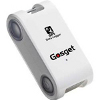
Gosget S1
|
- 2×AAA batteries
- 64mb memory
- Logs position, altitude and speed every 5-60 sec
- Log format: NMEA 0183 sentences
- gosget.com
|
- Set on Log Mode 2 (position, altitude), log every 5 seconds
|
|
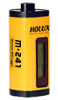
Holux M-241
|
- LCD screen displays position, speed and configuration menu
- Bluetooth
- 1×AA battery, up to 12 hrs
- Logs up to 130,000 points
- holux.com
|
- Set on Log By Time of 1 sec, other settings won't matter.
|
LandAirSea GPS Tracking Key
SkyTRX Mini GPS Tracker SKY-MT4100
|
- Rugged design
- Auto on/off feature
- "100 hours" logging
- 2×AAA batteries
- Log format: CSV
- Windows software only
-
landairsea.com
skytrx.com
|
- Download log file from device and export to text format
- Use GPSBabel to convert the file to GPX format (on one line)
gpsbabel -w -r -t -i xcsv,style=landairsea_txt.style
         -f input.txt -o gpx -F output.gpx
- landairsea_txt.style file:
# gpsbabel XCSV style file
#
# Format: SkyTrx Text Export
# Author: Jason Charles
# Date: 01/24/2010
# Reference:
#
DESCRIPTION SkyTrx Text Export Converter
#
#
# FILE LAYOUT DEFINITIIONS:
#
FIELD_DELIMITER COMMA
RECORD_DELIMITER NEWLINE
BADCHARS COMMA
SHORTLEN 24

#
# INDIVIDUAL DATA FIELDS, IN ORDER OF APPEARANCE:
#
IFIELD LOCAL_TIME,"","%m-%d-%y"
IFIELD HMSL_TIME,"","%02d:%02d:%02d"
IFIELD LON_HUMAN_READABLE, "", "%08.5f"
IFIELD LAT_HUMAN_READABLE, "", "%08.5f"
IFIELD PATH_SPEED, "", "%s"
IFIELD PATH_COURSE,"","%f"
IFIELD ALT_FEET, "", "%fF"


OFIELD LOCAL_TIME,"","%y-%m-%d"
OFIELD HMSL_TIME,"","%02d:%02d:%02d"
OFIELD LON_DECIMAL, "", "%08.5f"
OFIELD LAT_DECIMAL, "", "%08.5f"
|
|
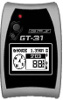
Locosys Genie GT-31
|
- Internally record 16256 log points
- Can write to removable SD memory cards so can work on Windows, Mac and Linux with a card reader
- Built-in Lithium battery, up to 30 hrs
- Logs position, altitude, speed and heading
- Log format: NMEA 0183 sentences or NaviGPS SiRF binary logfile (.sbn)
- locosystech.com
|
- Setup device to log NMEA sentences to the SD card
- Plug SD card into card reader
- Copy .TXT files from /GPS_DATA/ folder (one log is created each time the GT-31 is switched on)
- Upload to GPSLog Labs.
- Delete older .TXT files off the SD card if necessary
|
|
QStarz BT-Q1000P
|
- Built-in rechargeable Li-ion battery
- Log format: GPX XML
- qstarz.com
|
|
|
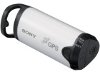
Sony GPS-CS1
|
- Driverless — acts as a USB drive, works on Windows, Mac and Linux
- 1×AA battery
- 64mb memory
- Log interval: 15 sec
- Log format: NMEA 0183 sentences
- sony.com.au
|
- Plug logger into USB port
- Upload .log files to GPSLog Labs
- Delete older .log files off the logger
|
|
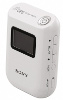
Sony GPS-CS3KA
|
- Driverless — acts as a USB drive, works on Windows, Mac and Linux
- Can geotag photos directly on an SD card
- 128mb memory
- 1×AA battery
- Log format: GPX XML
- amazon.com
|
|
 GPSLog Labs